

Grammarly vs Hemingway: Tool Comparisons for Writers 2025
In today's fast-paced digital world, the ability to communicate clearly can define professional success. As we move into 2025, writers face higher expectations for precision and impact in every piece they produce.
To meet these demands, many turn to powerful editing solutions like Grammarly and Hemingway. These platforms have become central in tool comparisons among writers, offering advanced features to refine grammar, style, and clarity for a range of needs.
This article delivers a comprehensive look at both tools, examining their features, usability, accuracy, and value for different types of writers. As you read, consider which solution aligns best with your workflow and writing goals.
Overview of Grammarly and Hemingway
In 2025, writers have a wealth of choices when it comes to editing software. Two of the most prominent options in tool comparisons are Grammarly and Hemingway. Understanding what sets these platforms apart is essential for anyone looking to improve their writing, whether for business, academia, or creative projects.
What is Grammarly?
Grammarly has evolved from a simple grammar checker to a comprehensive writing assistant. Launched in 2009, it now serves over 30 million daily users who rely on its advanced AI to catch grammar, spelling, and style errors. The platform supports a wide range of environments, including browser extensions, desktop apps, mobile devices, Microsoft Office, and Google Docs.
Its core purpose is to help users produce error-free, polished writing. Grammarly is particularly favored for academic papers, business communications, and creative work. When conducting tool comparisons, its robust features and adaptability often make it a top choice for diverse writing needs.
What is Hemingway?
Named after the famed author Ernest Hemingway, this tool prioritizes clarity and simplicity. Hemingway’s main focus is on making writing bold and concise by highlighting passive voice, excessive adverbs, and complex sentences. It’s available as a web app and a desktop application, making it accessible for most users.
Hemingway is popular among bloggers, students, and journalists who want their writing to be direct and easy to understand. In many tool comparisons, Hemingway is praised for its emphasis on readability and its straightforward, color-coded feedback that encourages users to refine sentence structure and flow.
Key Similarities and Differences
Both Grammarly and Hemingway aim to elevate writing quality, but their approaches are distinct. Grammarly utilizes AI to provide comprehensive grammar and style recommendations, while Hemingway adopts a minimalistic, rules-based method focused on clarity. Integration is another key difference: Grammarly works seamlessly with browsers, email clients, and word processors, whereas Hemingway functions mainly as a standalone app.
Feedback timing also varies. Grammarly offers real-time suggestions as you write, while Hemingway analyzes text after you finish drafting. For a deeper dive into these tool comparisons, Grammarly vs Hemingway 2025 offers an updated analysis of current features and pricing.
Why Writers Need Editing Tools in 2025
The demand for clear, effective communication has never been higher. As remote work and digital content marketing grow, professionals need reliable editing software. According to Statista, 72% of businesses now prioritize written communication. AI-powered editing tools streamline the revision process, reduce errors, and save valuable time.
In tool comparisons, these benefits make both Grammarly and Hemingway attractive to professionals, students, and organizations. The ability to quickly produce error-free work is a significant advantage in today’s fast-paced, content-driven world.
Core Features Comparison
Choosing between Grammarly and Hemingway requires careful tool comparisons. Both tools offer a suite of features designed to enhance your writing, but their approaches and strengths differ. Below, we break down their core functionalities so you can make an informed decision.
Grammar and Spelling Checks
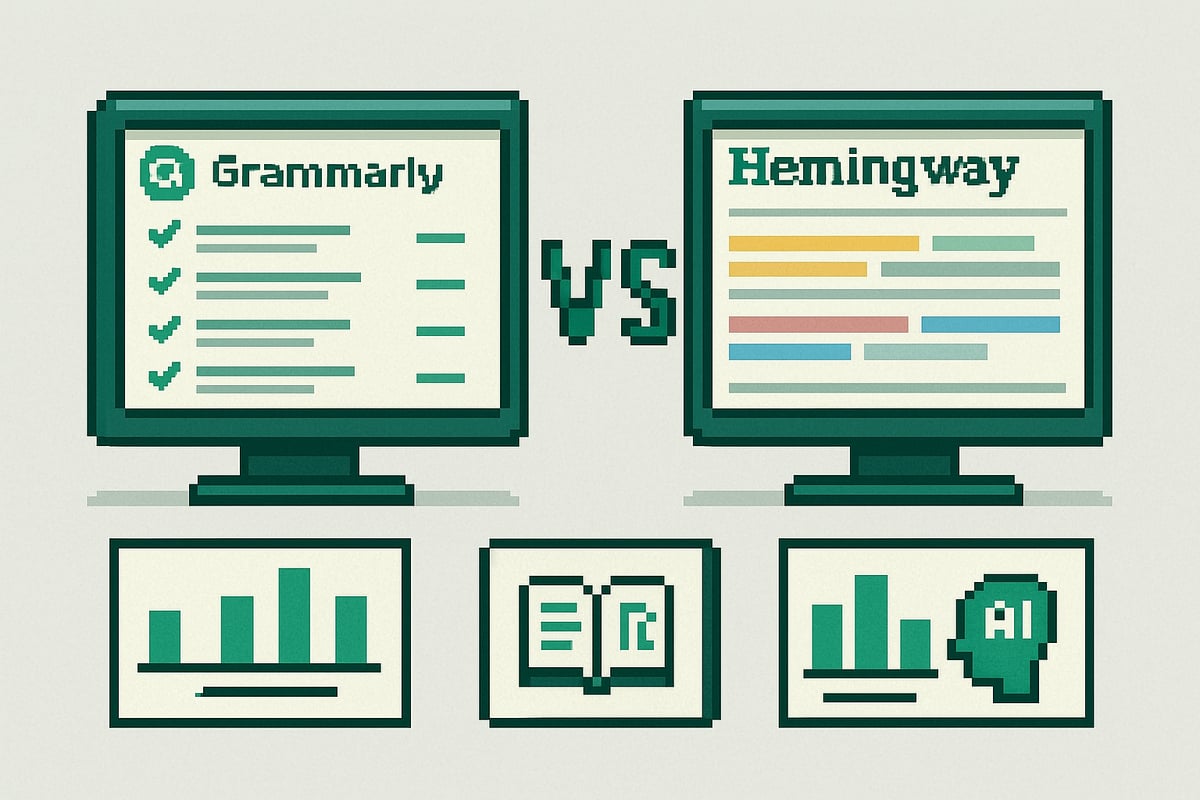
Grammarly leads in grammar and spelling accuracy among tool comparisons, leveraging an advanced AI engine that identifies subtle issues. It catches subject-verb agreement, punctuation, and even context-dependent errors. Hemingway, by contrast, offers basic spelling and grammar checks but focuses more on sentence structure.
| Feature | Grammarly | Hemingway |
|---|---|---|
| Grammar Accuracy | 94% (2024) | Lower |
| Spelling | Comprehensive | Basic |
For non-native English speakers, Grammarly’s depth is invaluable. As an example:
Original: She walk to the store yesterday.
Grammarly: Suggests "walked."
Hemingway: Flags sentence as hard to read, may miss tense error.
This difference is crucial in tool comparisons for academic and professional writing.
Style and Readability Enhancements
When it comes to tool comparisons for style, Grammarly shines with its ability to detect tone, suggest vocabulary changes, and adjust formality. It provides feedback for business, academic, and creative writing. Hemingway, however, excels at boosting readability. Its color-coded highlights flag passive voice, adverbs, and complex sentences.
Editing a business email in Grammarly results in nuanced tone recommendations, while Hemingway assigns a readability grade and highlights difficult passages. This impacts Flesch-Kincaid scores, making Hemingway a favorite for bloggers and web writers, while Grammarly suits academic and business documents. Both approaches contribute uniquely to tool comparisons.
Plagiarism Detection
A critical aspect of tool comparisons is plagiarism detection. Grammarly includes a robust plagiarism checker that scans billions of web pages and academic papers, ensuring originality in your work. This feature is especially important for students and professionals.
Hemingway does not offer plagiarism detection, limiting its use for academic or research purposes. Privacy-conscious users should note Grammarly stores documents in the cloud, raising some concerns. For example, checking a research paper in Grammarly highlights any unoriginal content, while Hemingway cannot provide this assurance. This difference can be decisive in tool comparisons for academic writers.
User Interface and Experience
Tool comparisons often hinge on the user interface. Grammarly boasts a modern, feature-rich dashboard, guiding users through suggestions with clarity. The platform supports browser, desktop, and mobile use, making it accessible for all.
Hemingway’s minimalist, distraction-free design appeals to those who prefer simplicity. Beginners find it easy to navigate, though it lacks advanced features. Accessibility is considered in both tools, with options for font size and color contrast. For users who value an intuitive experience, interface plays a key role in tool comparisons.
Integrations and Workflow Compatibility
A major factor in tool comparisons is workflow integration. Grammarly integrates seamlessly with Google Docs, MS Word, browsers, and email clients. This streamlines editing across platforms, an advantage for professionals and teams.
Hemingway functions as a standalone web and desktop app with export options like Markdown and Word. Collaboration is limited, focusing on single-user editing. For agencies or teams, Grammarly’s advanced integrations and team plans offer superior workflow compatibility. For a deeper dive into how these features compare, see this Grammarly vs Hemingway Comparison article.
Personalization and AI Adaptation
Personalization is increasingly important in tool comparisons. Grammarly adapts to your writing style over time, offering tailored suggestions and allowing for custom dictionaries and style guides. Businesses benefit from consistent branding and tone adjustments.
Hemingway, by contrast, uses static rule-based feedback. It does not learn from user input, which may limit its usefulness for frequent or business writers. For example, Grammarly can adjust tone for branding or audience, while Hemingway’s feedback remains the same regardless of context. In tool comparisons, AI-driven personalization is a significant differentiator.
Accuracy, Depth, and Quality of Suggestions
When evaluating tool comparisons for writers, the depth and quality of a writing assistant's feedback can make or break your workflow. Both Grammarly and Hemingway take different approaches, each with strengths and limitations. Let's break down how these tools perform in real-world editing scenarios.
Depth of Analysis
Depth of analysis is a critical factor in tool comparisons for writers who need comprehensive feedback. Grammarly uses advanced AI to assess not just grammar but also context, intent, and audience. It can spot errors in complex sentences, idioms, and technical jargon. For example, editing a dense academic paragraph, Grammarly highlights misplaced modifiers and suggests tone adjustments.
Hemingway, on the other hand, focuses on readability. It flags passive voice, long sentences, and adverbs, making it ideal for those who want to simplify their writing. However, its feedback is less nuanced. While Grammarly adapts to sophisticated writing, Hemingway is best for straightforward content. In tool comparisons, Grammarly stands out for advanced analysis, while Hemingway excels at clarity.
Quality of Suggestions
Quality of suggestions is at the heart of meaningful tool comparisons. Grammarly provides detailed recommendations, such as rephrasing awkward sentences or offering vocabulary enhancements. These suggestions are often relevant and clear, but users may encounter over-corrections, especially in creative writing.
Hemingway’s feedback is direct and actionable, highlighting areas for improvement using color codes. Its suggestions are easy to understand, but sometimes oversimplify complex ideas. For instance, in creative writing, Hemingway might push for brevity at the expense of style. Both tools allow some customization, but Grammarly offers more control over feedback strictness, an important point in tool comparisons for professionals.
Handling of Different Writing Styles
When considering tool comparisons, handling diverse writing styles is essential. Grammarly adapts to academic, business, creative, and casual writing, with settings for tone and formality. It is especially useful for editing business reports or academic papers, offering citation support and advanced grammar checks.
Hemingway shines for bloggers and web writers, focusing on clear, concise language. However, it may not suit complex or literary prose. According to AI Tool Usage in Academic Writing, adoption of AI tools like Grammarly and Hemingway in academia is rising, driven by their ability to improve clarity and correctness. User reviews on platforms like G2 highlight Grammarly’s high satisfaction for versatility, a key metric in tool comparisons.
Multilingual and Localization Capabilities
Tool comparisons should include language support, especially for global teams. Grammarly supports multiple English dialects—US, UK, AU, CA—and is testing features for other languages. This makes it valuable for non-native speakers and international organizations.
Hemingway is English-only and does not offer localization or dialect switching. This limitation affects ESL writers who need tailored corrections for regional usage. For tool comparisons involving international users, Grammarly’s broader language support is a clear advantage.
Limitations and Common Criticisms
No tool is perfect, and honest tool comparisons must address limitations. Grammarly can misinterpret context, leading to incorrect suggestions in nuanced or idiomatic writing. Its subscription cost is also a frequent complaint on user forums.
Hemingway’s main criticism is oversimplification. It may strip away stylistic choices that are intentional, which frustrates creative writers. Both tools are best used as assistants, not replacements for human editing. In summary, tool comparisons reveal that while both improve writing, understanding their limits is crucial for effective use.
Pricing, Plans, and Value for Money
Choosing the right writing assistant depends not only on features but also on cost and value. In this section, we break down the pricing structures of Grammarly and Hemingway, compare their value for different users, and examine licensing options for teams. This analysis will help you make informed tool comparisons before investing in a writing solution.

Grammarly Pricing and Plans
Grammarly offers a tiered approach for users seeking robust tool comparisons. The Free plan provides core spelling, grammar, and conciseness checks, suitable for basic needs. Premium unlocks advanced features, including tone detection, clarity suggestions, and full-sentence rewrites. Premium pricing is approximately $12 per month (annual billing), while monthly plans are higher.
For organizations, Grammarly Business introduces team-based features, style guides, and centralized billing. Business plans start at around $15 per member monthly, with volume discounts for larger teams. Students, professionals, and enterprise clients benefit from flexible options. Refunds are available within a short trial window, supporting confident tool comparisons before long-term commitment.
Hemingway Pricing and Plans
Hemingway stands out in tool comparisons with its simple, budget-friendly structure. The web app is fully free, offering core readability and style analysis online. For offline use and document export, the Hemingway Editor desktop app is available for a one-time fee of about $19.99.
Both versions emphasize clarity and brevity, but the desktop app includes offline editing, exporting to Markdown or Word, and unlimited usage. Updates are included with purchase, and no subscription is required. This approach makes Hemingway a strong option for users prioritizing straightforward tool comparisons and affordability.
Cost-Benefit Analysis
When conducting tool comparisons, consider the total cost of ownership and the value gained. Grammarly’s subscription can add up over time, but frequent writers and teams often report significant time savings and error reduction, which can justify the expense. Hemingway’s one-time purchase is attractive for individuals or students with limited budgets.
User feedback highlights satisfaction with both tools, though Grammarly’s depth appeals to those needing advanced features. For a broader perspective on the evolving value of AI writing assistants, see the Future of AI-Assisted Writing, which contextualizes these tool comparisons within industry trends and ROI for businesses.
Accessibility and Licensing for Teams
Tool comparisons for collaborative environments reveal key differences. Grammarly offers business and enterprise licenses with admin dashboards, user management, and team collaboration features. This is ideal for agencies, publishers, and educational institutions seeking consistency and security.
Hemingway, by contrast, is licensed per user. It does not offer native team collaboration or centralized controls, making it less suitable for large organizations. However, its simplicity and one-time cost attract solo professionals and small teams who value straightforward tool comparisons. Agencies needing scalable solutions may find Grammarly’s approach more versatile.
Best Use Cases and Target Audiences
Choosing between Grammarly and Hemingway often comes down to understanding your unique writing needs. Below, we break down the ideal scenarios for each tool, using data, examples, and user feedback to guide your tool comparisons.
Academic and Professional Writers
For academic and professional writers, accuracy and compliance are non-negotiable. Grammarly excels here, offering robust grammar checks, citation suggestions, and an integrated plagiarism detector. These features are invaluable for editing theses, research articles, or business reports.
Hemingway, while not as thorough with grammar, shines in making complex reports and essays easier to read. Its focus on clarity helps streamline dense academic writing. In tool comparisons, Grammarly is the preferred choice when originality and technical accuracy matter most, especially for students and researchers.
Bloggers, Marketers, and Content Creators
Bloggers and marketers benefit from Hemingway’s readability scoring and color-coded highlights, which simplify web content and boost audience engagement. Grammarly, however, brings advanced tone detection and vocabulary suggestions, making it ideal for SEO-focused articles and branded content.
For tool comparisons in content marketing, Grammarly’s ability to tailor tone and improve word choice gives it an edge for campaigns requiring a consistent voice. Hemingway is perfect for writers aiming to keep posts concise and easy to digest, as supported by data showing higher engagement with readable content.
Business Communications and Teams
Effective business communication relies on clarity and professionalism. Grammarly’s team management tools, brand tone customization, and integrations with email and word processors make it a top pick for organizations seeking consistency.
Hemingway’s minimalist setup is great for quick checks of internal memos or client emails. When conducting tool comparisons for teams, Grammarly stands out for its collaborative features and ability to maintain style guides across departments. Case studies show that companies using Grammarly report fewer communication errors and stronger brand messaging.
Creative Writers and Authors
Creative writers often need flexibility to preserve their unique voice. Grammarly offers customizable feedback, allowing fiction and non-fiction authors to adjust suggestion strictness and avoid stifling creativity.
Hemingway, on the other hand, may oversimplify literary prose, sometimes stripping away stylistic nuance. In tool comparisons for creative writing, Grammarly is favored by published authors seeking guidance without losing individuality. Hemingway is best reserved for editing clarity in short stories or blog-style narratives.
ESL Writers and Non-Native Speakers
For ESL writers, mastering grammar and nuance is essential. Grammarly’s deep grammar engine, dialect support, and adaptive suggestions help non-native speakers write with confidence. Its features are especially useful for business emails and formal documents.
Hemingway’s focus on simple sentences benefits beginners learning English, but lacks the depth needed for advanced corrections. According to recent surveys, 65% of ESL users prefer Grammarly for tool comparisons, citing its comprehensive feedback and support for various English dialects.
Privacy, Security, and Data Handling
In the realm of tool comparisons, privacy and security are more than technical details—they are essential criteria for choosing a writing assistant. Writers, businesses, and educators must trust that their words remain confidential and protected. Let’s examine how Grammarly and Hemingway compare in these critical areas.
Grammarly’s Data Policies
Grammarly places a strong emphasis on privacy and data security in its tool comparisons. All user data is encrypted in transit and at rest, following industry standards. Grammarly stores content on secure servers, allowing users to access their edited documents across devices.
Compliance is a core part of Grammarly’s policies. The platform adheres to GDPR and CCPA, giving users control over data access and deletion. Privacy settings can be adjusted to fit individual or organizational needs. Transparency reports are published regularly, and no significant data breaches have been reported as of 2024. For more, see Grammarly’s official privacy policy.
Hemingway’s Data Handling
When conducting tool comparisons, Hemingway stands out for its minimal approach to data collection. The desktop app processes all text locally, meaning your writing never leaves your device. This appeals to privacy-conscious users, especially those working with sensitive content.
The web version of Hemingway collects very little data and does not require an account for basic use. This reduces exposure to third-party risks. However, users should still be cautious when editing confidential documents online, even with Hemingway’s privacy-first design.
Security Concerns and User Control
Security is often a deciding factor in tool comparisons. Grammarly uses cloud-based processing, which enables real-time feedback and syncs documents across platforms. While convenient, this method requires users to trust Grammarly with their data. Hemingway’s local processing offers greater user control but lacks cloud convenience.
| Feature | Grammarly (Cloud) | Hemingway (Local) |
|---|---|---|
| Data Encryption | Yes | N/A (local only) |
| User Content Stored | On secure servers | On user’s device |
| Account Required | Yes | No (web/desktop) |
| Data Deletion Control | User managed | User managed |
No data breaches have been reported for either tool. Writers handling highly sensitive material should always review privacy policies and consider offline editing.
Ethical Considerations and AI Bias
Ethics play a growing role in tool comparisons. Grammarly’s AI-driven feedback can sometimes reflect biases present in its training data. The company continues to refine its models for fairness and transparency, but users should remain vigilant.
Hemingway, being rule-based, avoids AI bias but can oversimplify complex writing. Both tools encourage responsible use, reminding writers that automated suggestions are not a replacement for human judgment. As AI evolves, transparency and user awareness remain vital components of ethical tool comparisons.
2 Comments